What I built
Students originally selected skills one by one. I added a PDF import, from the FastAPI upload endpoint to the React review screen. Groq suggests skills and proficiency levels from the résumé text.
Skill mapping & placement
I built the PDF résumé import for Setu, a team project that matches student skills to job openings.
React · FastAPI · Groq
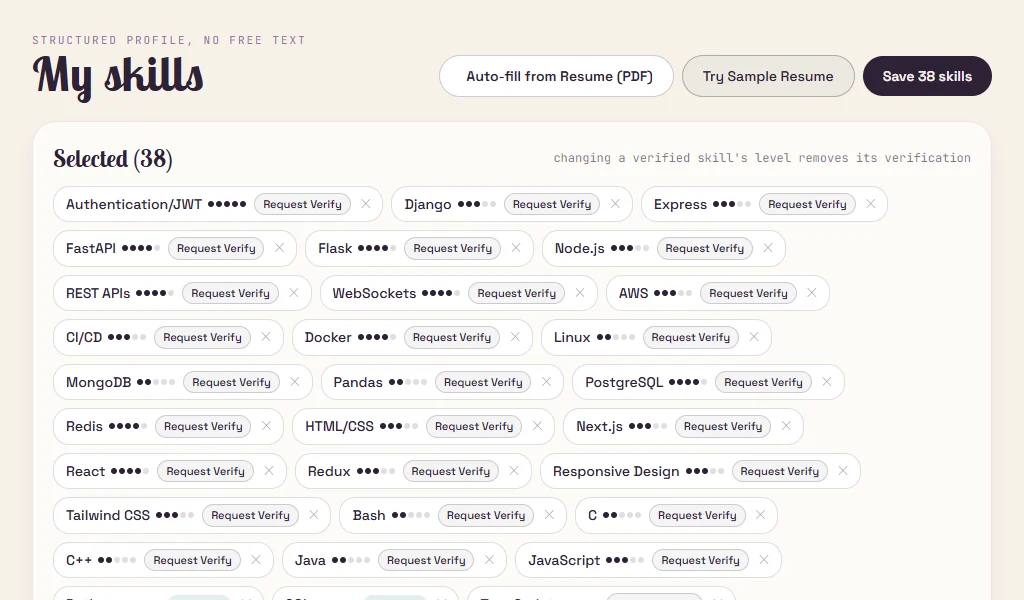
Students originally selected skills one by one. I added a PDF import, from the FastAPI upload endpoint to the React review screen. Groq suggests skills and proficiency levels from the résumé text.
The server matches suggestions against Setu’s existing skill catalog, drops duplicates and keeps levels between 1 and 5. Students can adjust the suggested levels and apply the results to a draft before saving their profile.
Choose Student on the sign-in screen, then open My skills. The demo includes a sample résumé. The skills screen loaded during review, but the hosted parser returned an error when I tried the sample.
Follow the workflow step by step.
Choose a PDF with selectable text or use the bundled sample.
Extract skills with Groq and map the suggestions to entries in Setu’s catalog.
Adjust suggested levels and apply the results to a draft before saving.